
Stop filling every locale by hand
AutoCIQ reduces the most tedious part of Connect IQ releases: manually filling titles, descriptions, and update logs into Garmin fields one locale at a time.
AutoCIQ
AutoCIQ is a Connect IQ translation tool that helps Garmin developers translate, localize, review, and autofill app titles, descriptions, and update logs without repeating the same release work across every locale.
Built for Connect IQ localization workflows, it keeps translation decisions close to the Garmin release form so teams can move from source copy to localized metadata with less manual editing.
Features
The biggest pain is usually not deciding whether localization matters. It is the manual filling, the repeated per-language translation work, and the cost of slower traditional workflows.
AutoCIQ reduces the most tedious part of Connect IQ releases: manually filling titles, descriptions, and update logs into Garmin fields one locale at a time.
Instead of translating each language one by one, generate multiple localized metadata variants from the same source copy and move faster across every release.
For frequent metadata updates, using your own model provider is often faster and more cost-effective than relying on manual translation or traditional paid translation services.
Screenshots
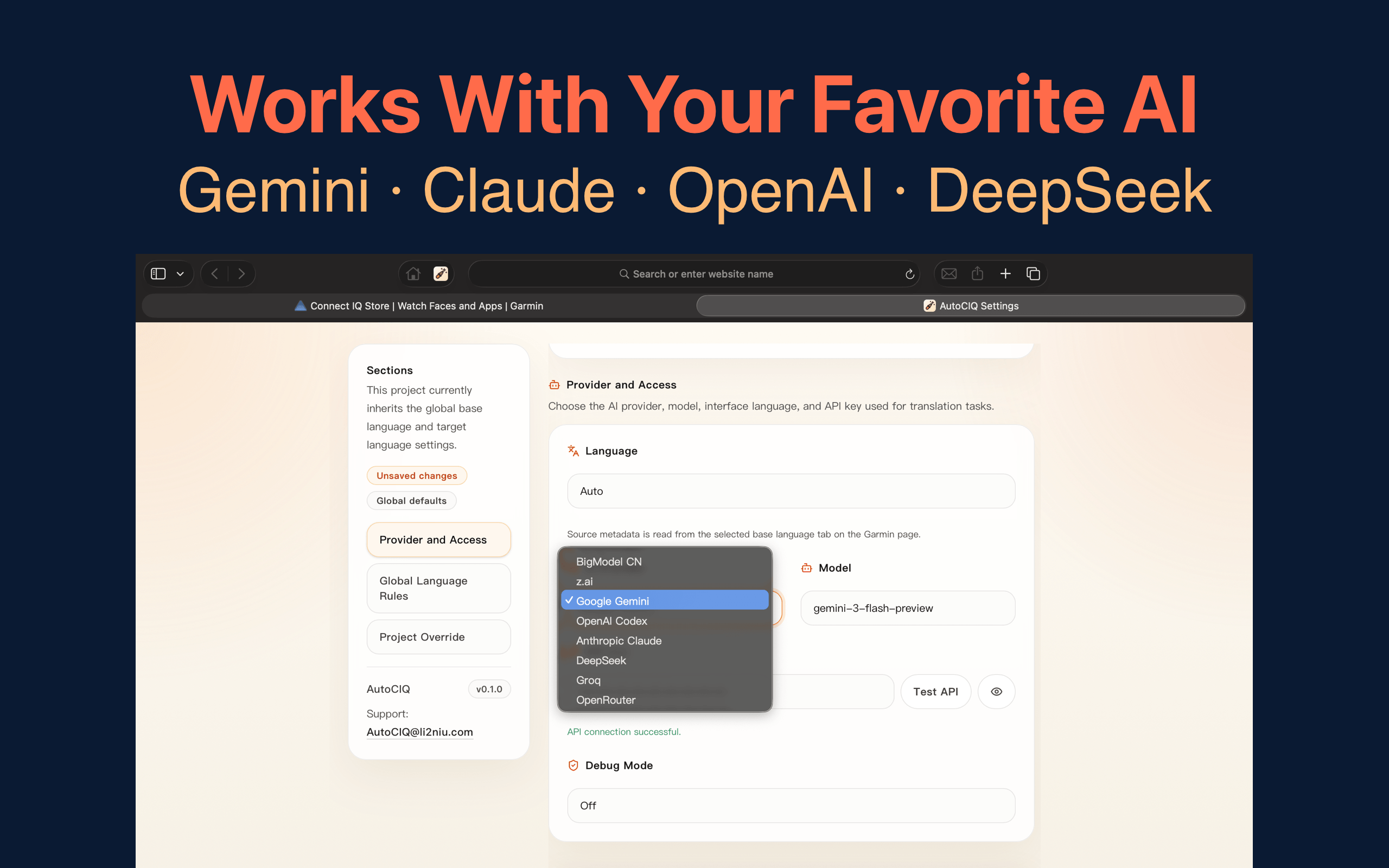
Choose the provider, model, and language defaults once, then reuse them across Garmin projects.
Supported AI
AutoCIQ uses a bring-your-own-key workflow and the current provider catalog includes OpenAI, Anthropic, Google Gemini, MiniMax, DeepSeek, Groq, z.ai, and OpenRouter.
Workflow
Guides
A practical guide to Connect IQ translation, source-copy prep, review, and release automation.
Understand localization strategy, language handling, and how to build a repeatable workflow.
A high-level overview of the SDK, Monkey C, app structure, and the release handoff.
See where SDK, testing, and metadata localization tools fit in the same workflow.
FAQ
AutoCIQ focuses on app-store metadata such as titles, descriptions, and update logs so Connect IQ releases can be localized with less manual copy work.
It is purpose-built for Garmin Connect IQ localization workflows, with UI and export flows designed around the metadata release process rather than generic document translation.
Because the repetitive work is not only translation. AutoCIQ helps reduce manual field entry, avoids translating each locale one by one, and makes frequent metadata updates faster to ship.
Chrome version
Sign in with Google and buy lifetime AutoCIQ Pro through Stripe. Your license follows the Google account, so reinstalling the extension or switching machines does not require another purchase.